
Take a photo of the problem. See every step.
Point your iPhone camera at a printed or handwritten math problem, or pick a photo or screenshot. AI Math Tutor reads it, works it through step by step in real notation, and lets you ask why at any step. Typing and pasting work too.

Free on iPhone and iPad with a limited number of solves each day. AI Math Pro removes the limit, sold weekly, monthly or for six months.
- Snap a photo
- Pick a screenshot
- Type or paste it
- Ask a follow-up
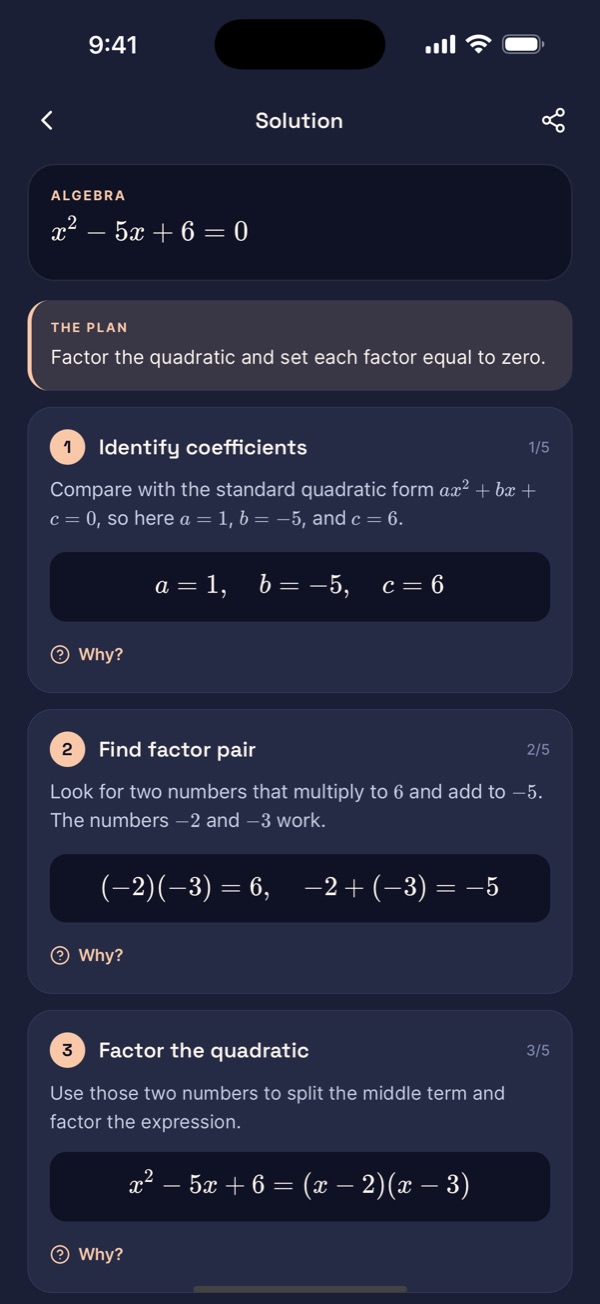
Photographed from a worksheet, then solved for x
- Divide every term by 2 to make the leading coefficient 1.
- Find two numbers that multiply to -5 and add to -4: they are -5 and 1.
- A product is zero when one of its factors is zero, so set each factor to zero.
So
Three steps from a photo to a method you can repeat
- 1
Snap the problem
Point the camera at one problem, or pick a photo or screenshot from your library. Printed textbook problems and clear handwriting both work. The app shows you what it read and waits for you to confirm before it solves, and you can type or paste instead.
- 2
Read the steps, not just the result
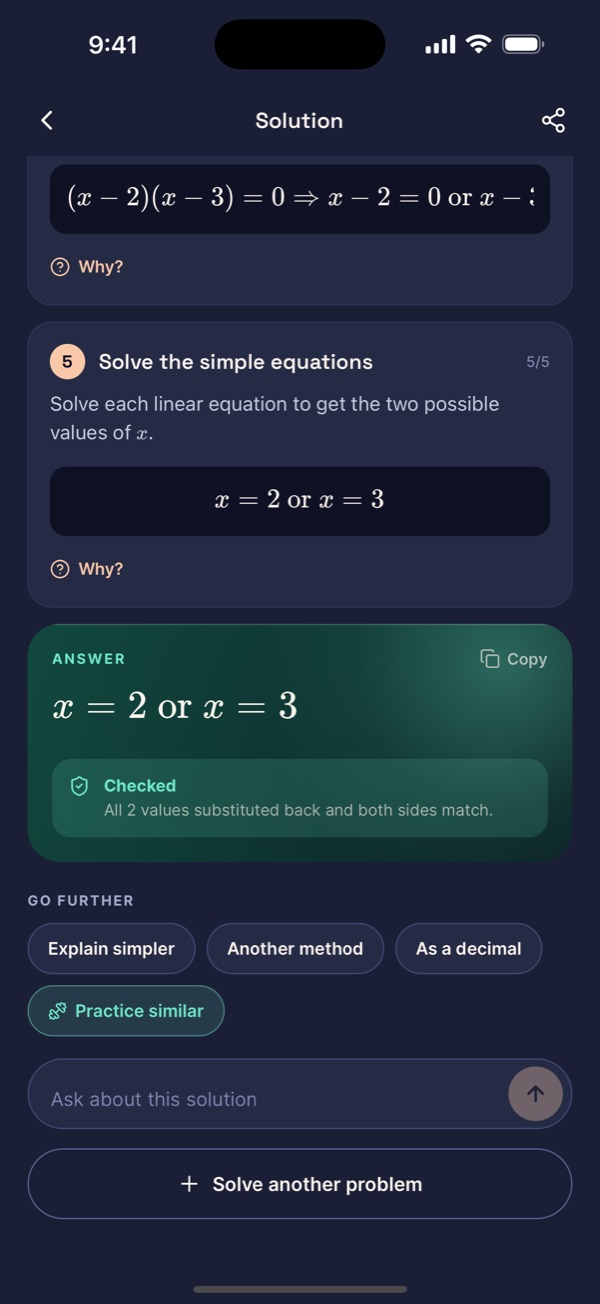
Every solution is laid out one step at a time in real math notation, with a sentence on why that step happens. The answer comes last, the way a tutor would show it.
- 3
Ask why, or ask for another one
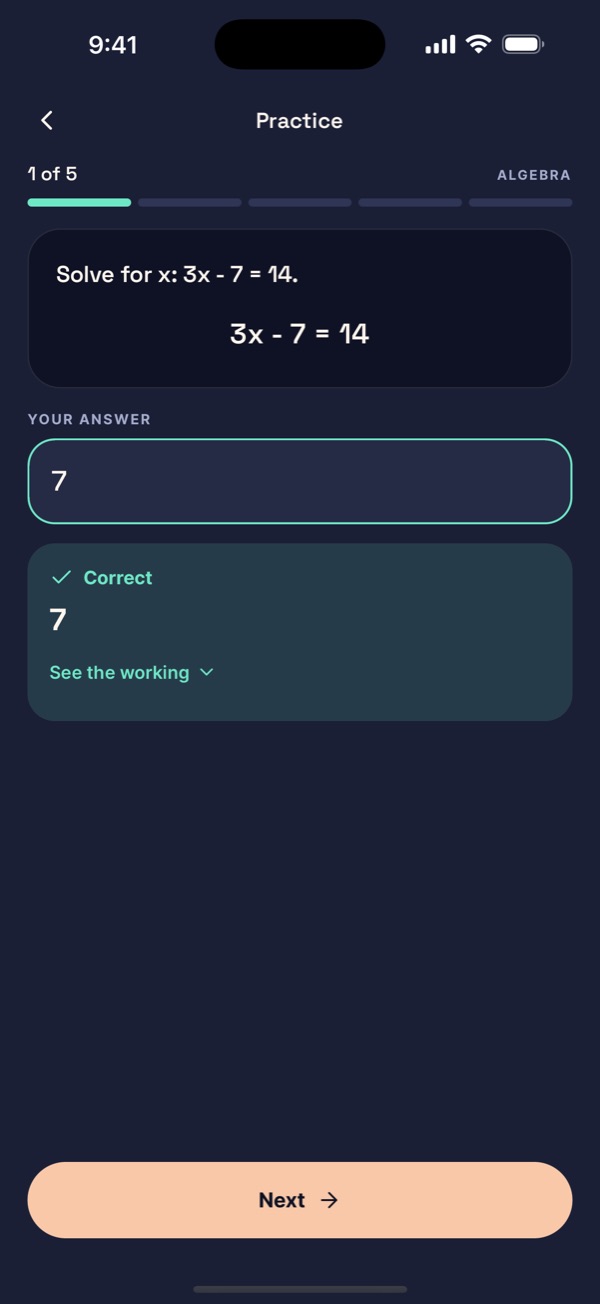
Tap Why? on any step, ask for a simpler explanation or a different method, or type your own question. Then try a practice set on your own.
Inside the app
Real screens from AI Math Tutor on iPhone. Swipe through them to see a problem go from photo to checked answer.
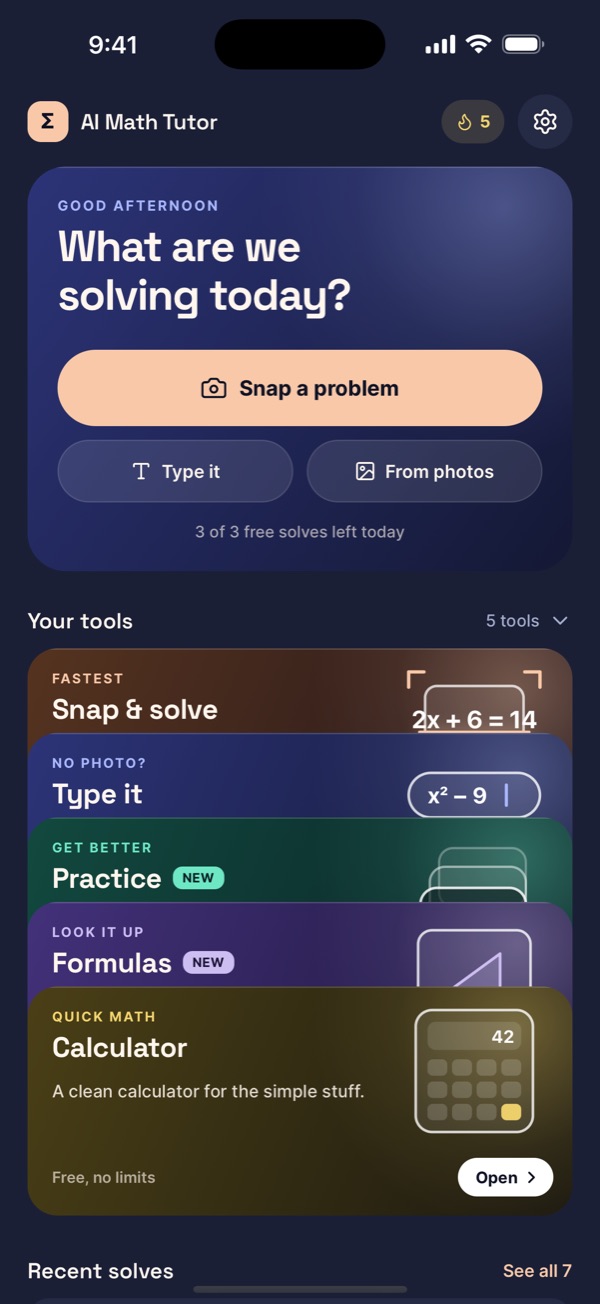
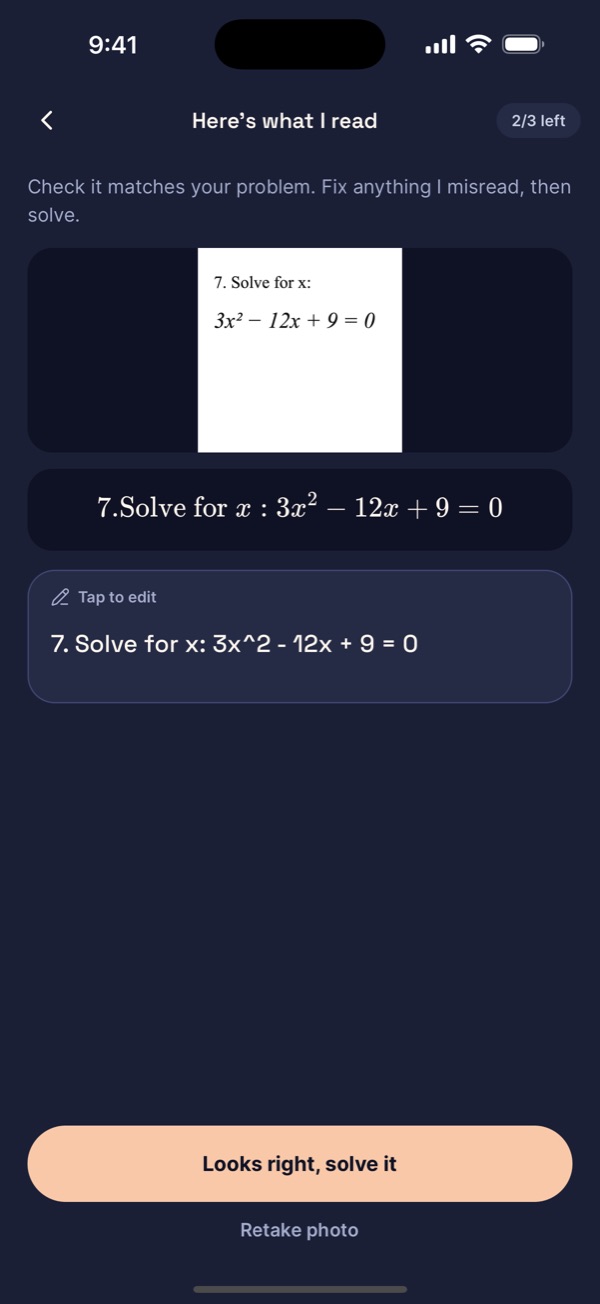
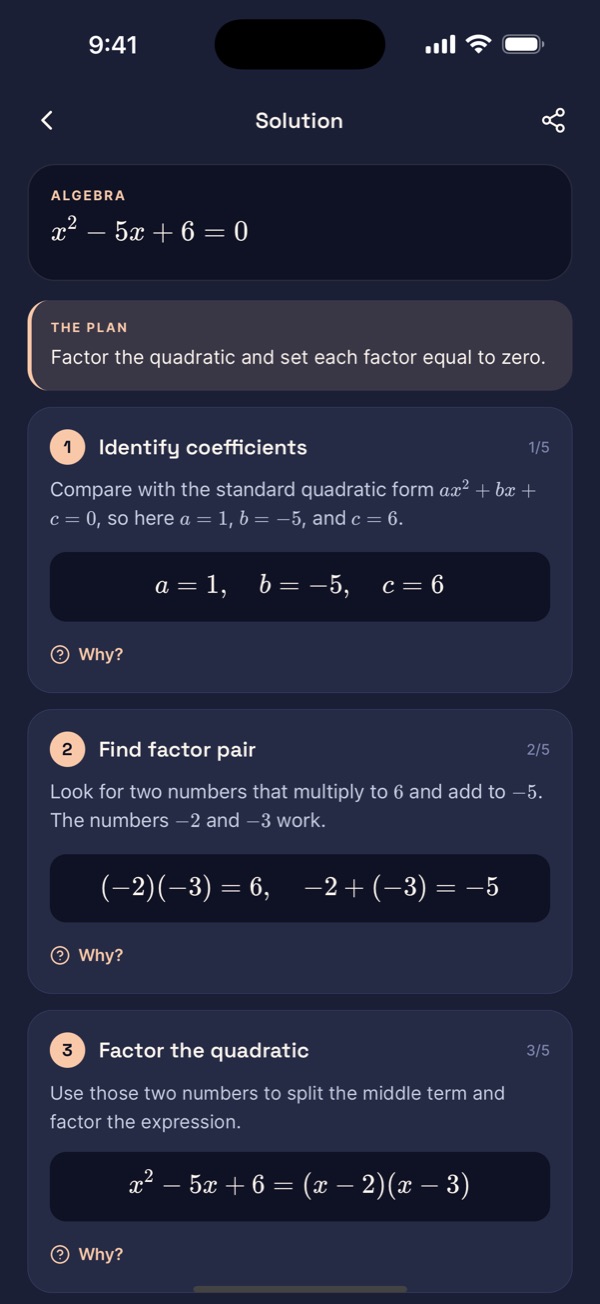
What a solution looks like
This is the shape of every answer in the app, whether the problem came from the camera or the keyboard: the problem as read, each move with its reason, and a final line you can check.
Photographed from a worksheet, then solved for x
- Divide every term by 2 to make the leading coefficient 1.
- Find two numbers that multiply to -5 and add to -4: they are -5 and 1.
- A product is zero when one of its factors is zero, so set each factor to zero.
So
What is in the app
Camera and photo solver
Point the camera at a printed or handwritten problem, or pick a photo or screenshot. The app reads it, shows what it read so you can fix it, and solves it with every step once you confirm.
AI tutor that explains
Step-by-step solutions with the reasoning written out, rendered as clean math notation instead of a wall of plain text.
Follow-up questions
Tap Why? on any step, ask for a simpler explanation, a second method or the answer as a decimal, or type your own question.
Practice sets
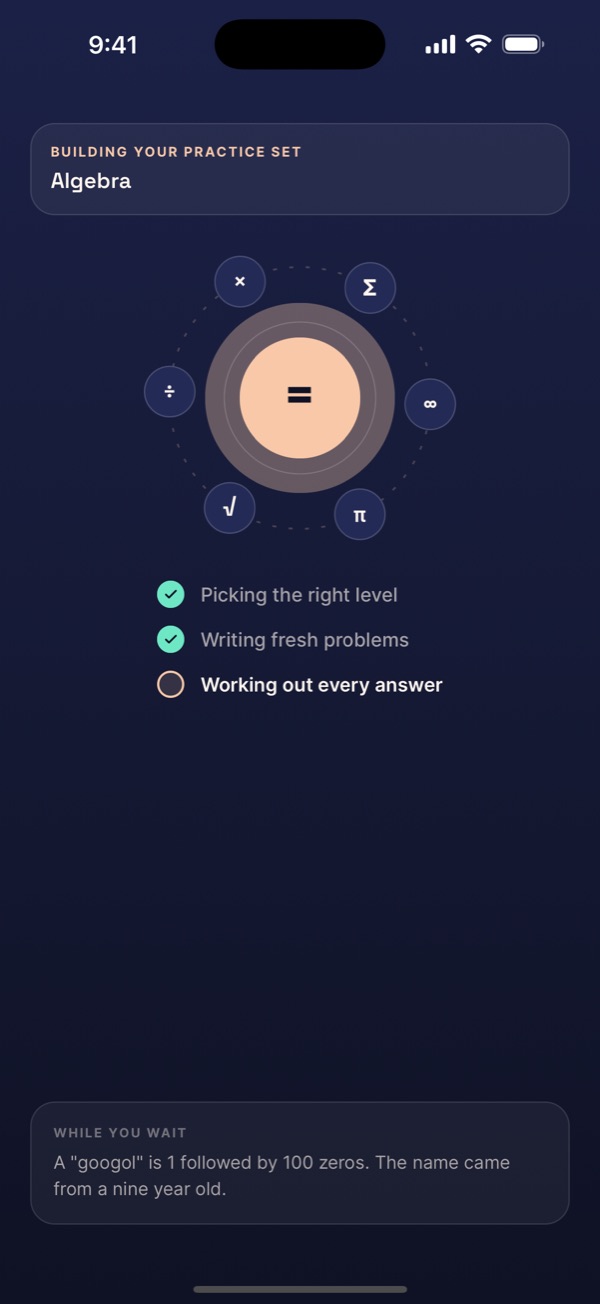
Five fresh problems on any topic at your level, checked as you type, with hints, the working, and a daily streak. Or practice problems like the one you just solved.
Formulas and study mode
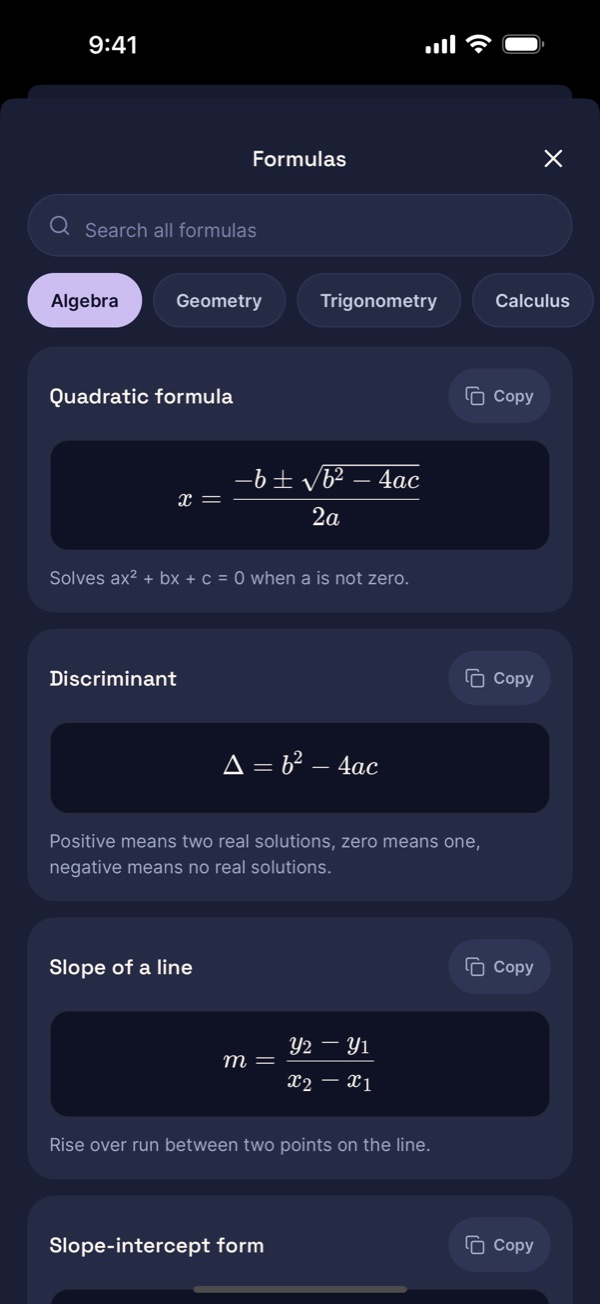
Searchable formula sheets that work offline, and a study mode that reveals one step at a time so you try the next move yourself.
Calculator
A clean calculator for everyday arithmetic that works without a connection. No AI involved, so it is instant.
Solve history
Recent solutions stay on your device so you can reopen a worked example before a test.
Fractions to calculus
Arithmetic, algebra, quadratics, geometry, trigonometry, statistics, limits, derivatives, integrals and word problems.
Built for the problems students actually get stuck on
The blog on this site explains the same topics the app solves, with worked examples you can follow by hand, plus a weekly guide to scanning each kind of problem cleanly.
- Fractions and percentages
- Solving equations
- Systems of equations
- Quadratic equations
- Functions and graphs
- Word problems
- Geometry and area
- Trigonometry
- Statistics and probability
- Limits
- Derivatives
- Integrals
Latest from the blog
What AI Math Tutor does and does not do
It explains the method behind an answer so you can repeat it on the next problem. It is a study aid, not a teacher, and it can be wrong, especially on messy handwriting or a badly framed photo. Check what it read and check the steps, not just the answer, and compare with what your class taught.
There is no account, no sign-in and no ads. A problem or a photo leaves your device only to be solved, through our own server, and nothing is kept there afterwards. Recent solves stay on the phone until you clear them.
Use it to understand homework and to check your work. It will not sit an exam for you, and this site never suggests it should.
Free and Pro
Free
Everything you need to see how the steps are explained.
- A limited number of solves each day
- Camera and photo scan, with a check of what was read
- Every step explained
- One practice set a day
- Calculator and formula sheets
- Solve history on your device
AI Math Pro
Sold weekly, monthly or for six months through the App Store. The current price is on the paywall in the app.
- Unlimited solves
- Unlimited practice sets
- A deeper reasoning model for solving
- Everything in Free
Questions
Can I take a picture of a math problem and get the answer?
Yes. Point the camera at the problem, or pick a photo or screenshot from your library. The app reads the photo, shows you what it read as typeset math and editable text, and solves it with every step once you confirm. Fix anything it misread before you tap solve.
What makes a scan fail?
A blurry or dark photo, several problems in one frame, glare, a page shot at an angle, or faint pencil. Frame one problem and hold still. If the app misread something, fix it in the editable text before you confirm, retake the photo, or type the problem.
What kinds of math can it solve?
Arithmetic, fractions and percentages, pre-algebra, algebra, quadratics, functions, geometry, trigonometry, statistics and probability, and calculus including limits, derivatives and integrals. Word problems work when the wording is complete. It shows the method, not only the result.
Does it show the steps?
Yes. Every answer is written as a sequence of steps in real math notation, each with a short reason. Every step has a Why? button, and you can ask for a simpler explanation, another method, or your own follow-up question. Steps are included on Free and Pro.
Does it read handwriting?
Printed problems and clear handwriting are read from the camera or a photo. An AI vision model reads both, the same way on Free and Pro, and describes a labelled diagram in words. A blurry or badly framed photo can still be misread, so check what it read, and fix it if needed, before you confirm.
Do I need an account?
No. The app works fully without one. There is no sign-in, and your solve history is stored on the device. Deleting the app deletes the data.
What does AI Math Pro cost?
Pro is sold as a weekly, monthly or six-month subscription through the App Store, and the current price is shown on the paywall inside the app. It unlocks unlimited solves and practice sets, and a deeper reasoning model for solving.
Is using it cheating?
Using it to understand a method or to check your own work is studying. Copying answers into graded work is not, and it does not teach you anything. The app is built around the explanation, which is why every answer comes with its steps.
Is there an Android version?
No. AI Math Tutor is an iPhone and iPad app. There is no Android version and no web app.
How do I cancel?
In Settings, then your name, then Subscriptions on your iPhone. That is Apple's flow and it is two taps. Restore Purchases is in the app's Settings if you change devices.